Turning Data into Stories: The Report Builder at Thirdi
Thirdi
2025
Shipped
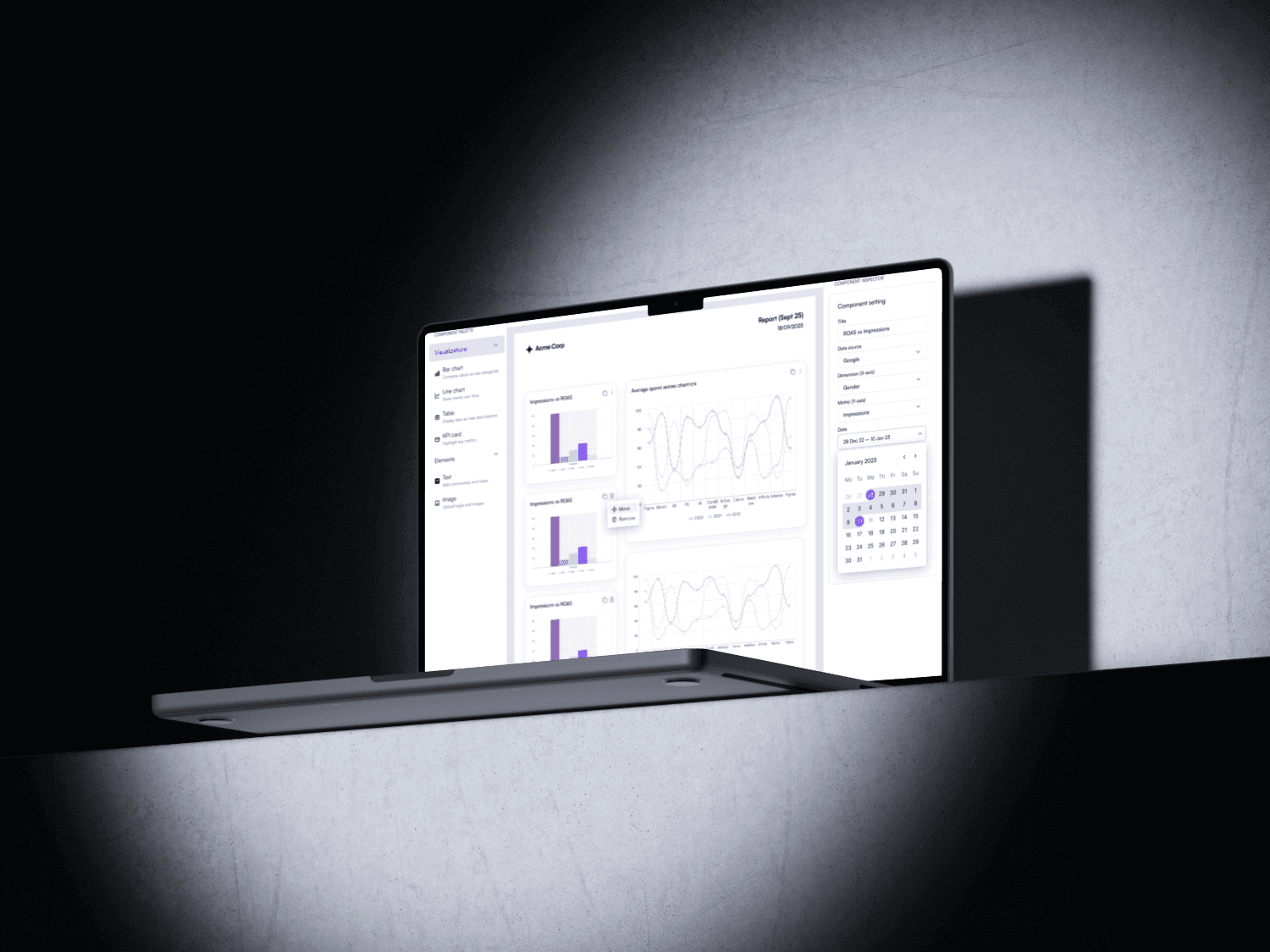
*Data sources, platform names, and proprietary metrics have been generalized. The focus here is on the design process and solutions, not internal business details (placeholders have been used). The design shown here is a representative version of the original. All sensitive company information has been anonymized.
Overview
At Thirdi, we noticed that users often struggled to create and customize reports from multiple ad platforms. The old flow required exporting raw data into spreadsheets or relying on pre-set templates that lacked flexibility.
We set out to design a Report Builder - a flexible, drag-and-drop interface that blends simplicity with advanced configurability
Project snapshot
Role : UI/UX designer
Timeframe: Two weeks
Platform: Desktop
Tools & Plugins : Pen and paper, Figma, Canva, Typescale.
How It Started
The idea started with a simple question:
“What if users could build their own custom report directly when clicking the Download button?”
This small thought sparked discussions and user feedback sessions. Quickly, we realised that limiting customisation to just the download flow wasn’t enough.It evolved into the concept of a standalone “Report Builder” page — a dedicated space where users could drag, drop, and configure charts, text, and branding before exporting.
Problem
Lack of customization: Users couldn’t build reports that reflected their unique campaign goals.
Fragmented workflows: Agency managers had to stitch together data from multiple sources.
Complexity vs Simplicity: Advanced users wanted depth, while brand marketers preferred fast, guided flows.
Goal
Create a self-serve report builder that is easy for beginners yet powerful for advanced users, with a clear structure for export-ready PDFs.
Initial ideation and design
Through user discussions and testing, we discovered that marketers and agency managers had very different needs:
Marketers wanted a quick way to generate clean, branded reports without technical complexity.
Agency managers wanted flexibility and control — being able to mix charts, text, and campaign breakdowns to tell the right story for clients.
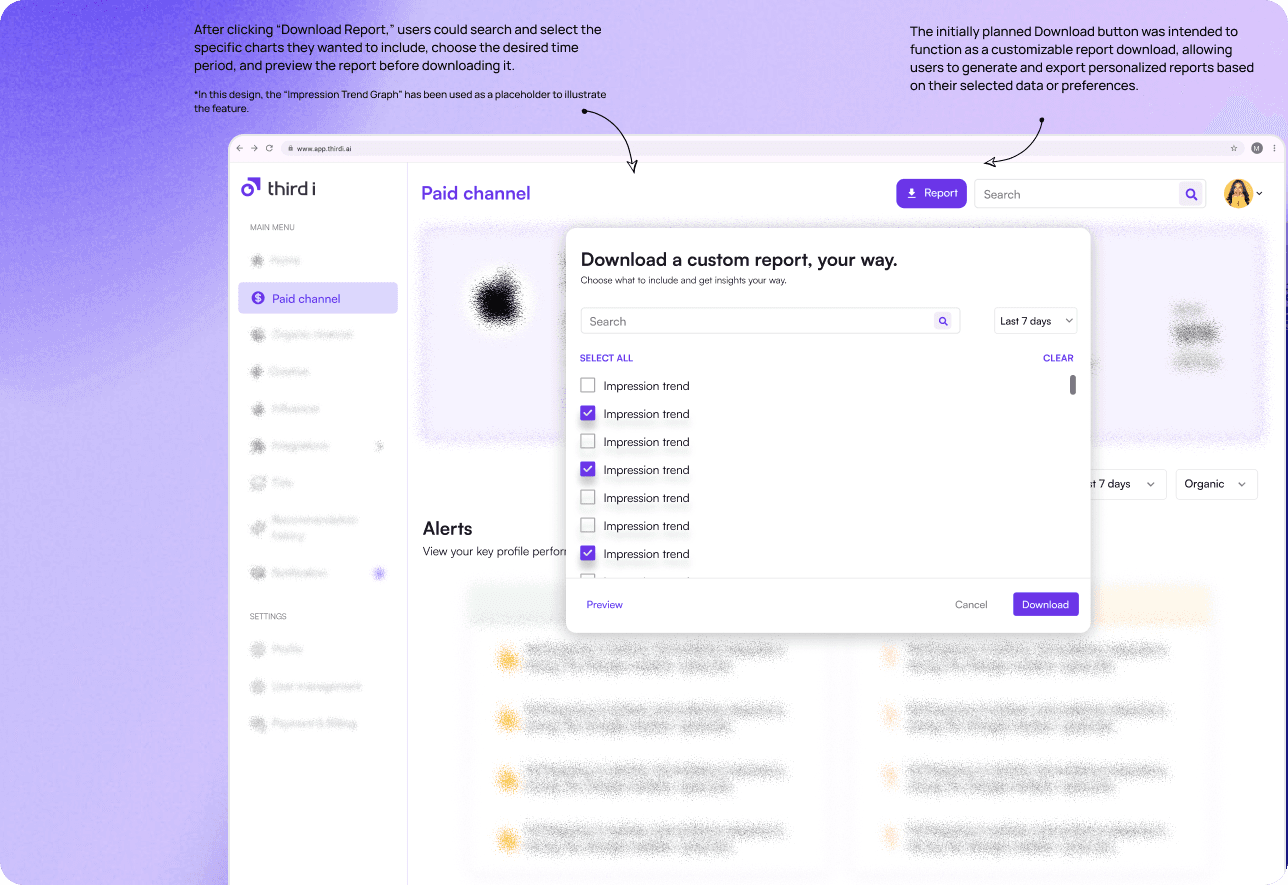
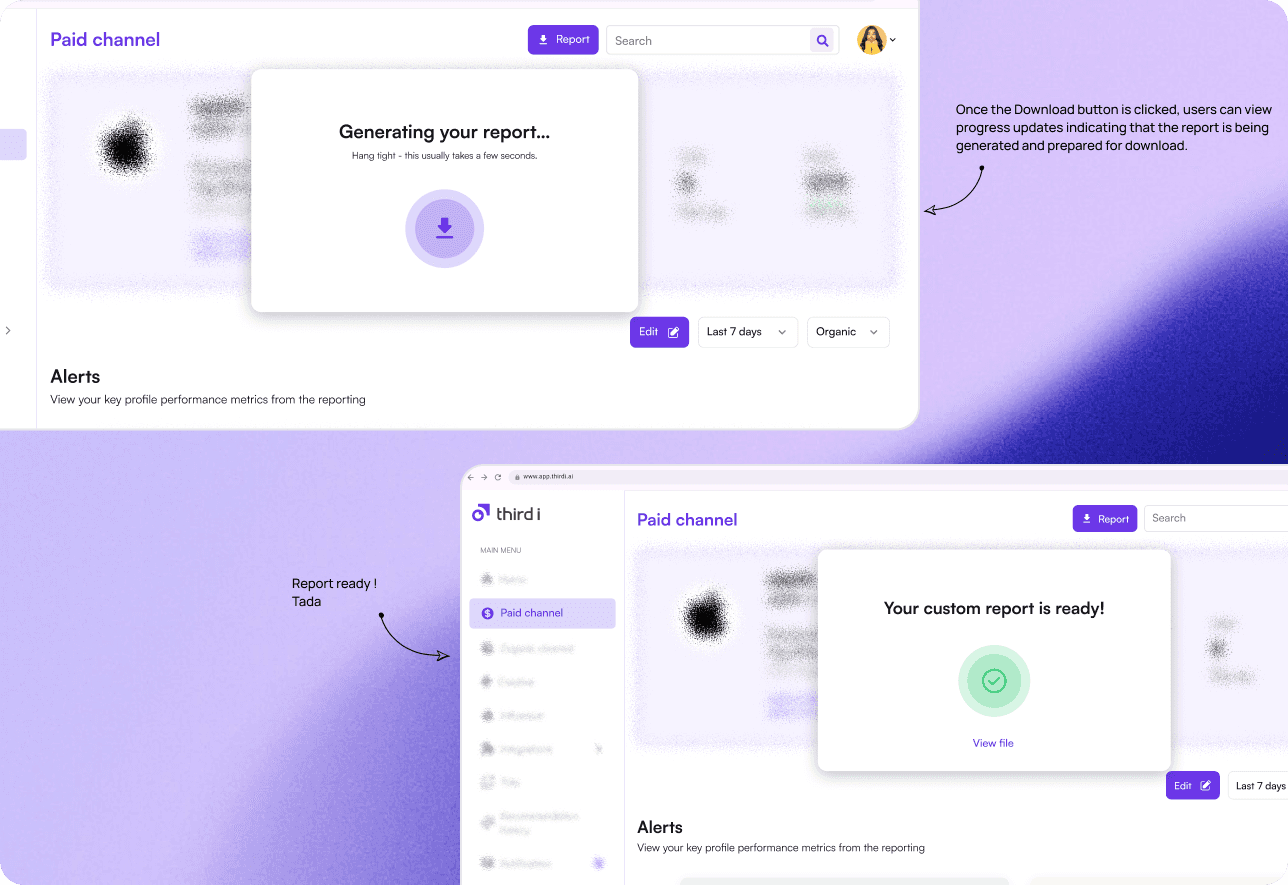
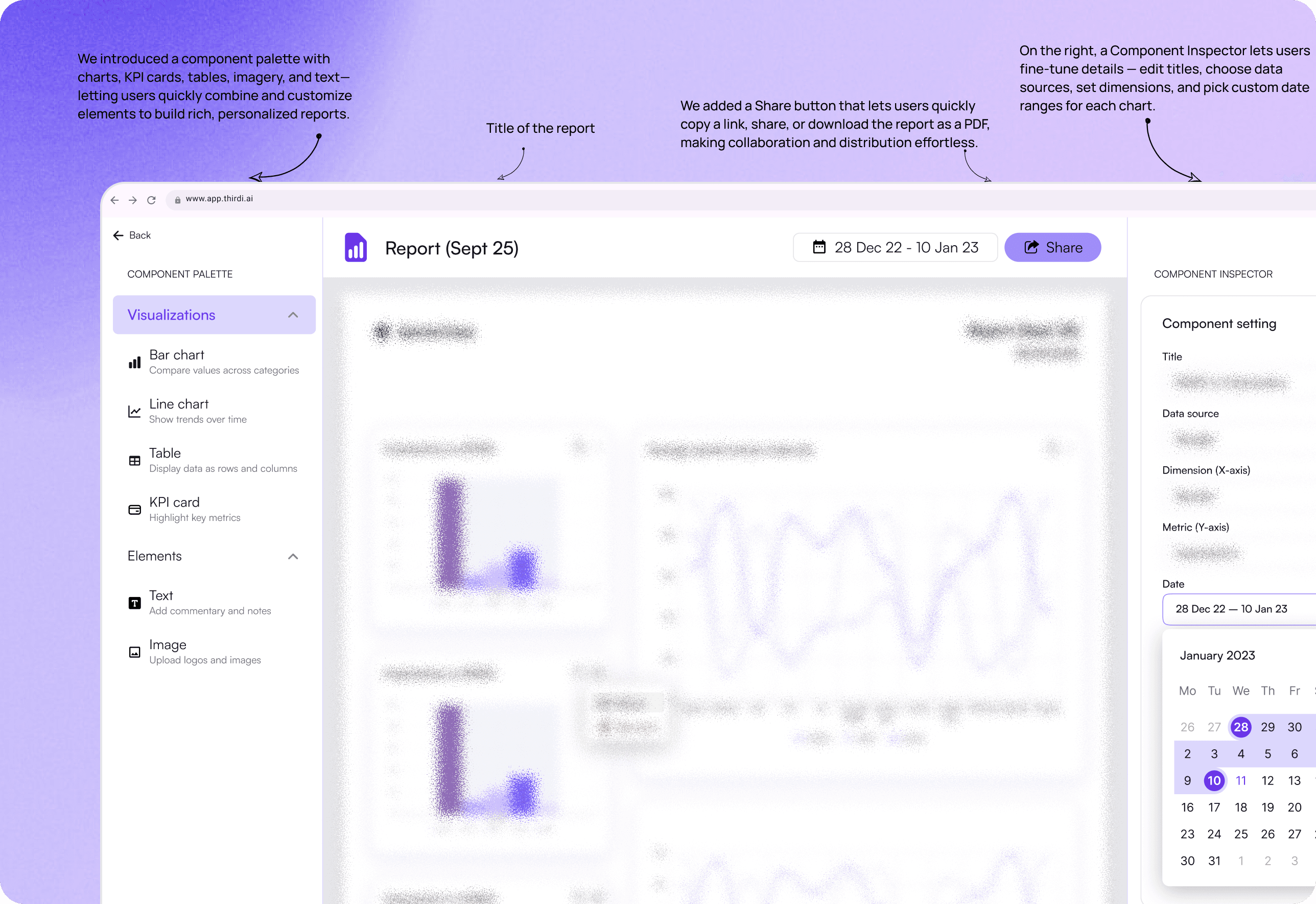
Instead of embedding a few lightweight options (Like above) inside the download flow, we designed a standalone Report Builder page where users could:
Drag & drop charts, tables, and KPI cards.
Add commentary and logos.
Control layout and branding before exporting to PDF.
Design Principles
Every decision was rooted in balancing power and simplicity:
Paginated Canvas: Keeps users aligned with the final export format
Contextual Inspector: Prevents cognitive overload
Curated vs. Searchable Dimensions: Fast for beginners, flexible for experts
Drag-and-Drop Simplicity: Lowers onboarding friction
Embedded Commentary: Keeps insights with data, not in separate docs (in process).
Outcome & Impact
Early testing showed promising results:
30–40% time saved for agency managers compared to manual reporting
Reduced dependency on third-party tools like Excel or PowerPoint
Improved storytelling — reports were no longer just data exports but branded, client-ready narratives
Reflection & Next Steps
We set out to bridge the gap between raw data and meaningful stories. So, I designed a feature that transforms analytics into client-ready narratives — not just numbers, but insights that speak.
Looking ahead, I imagine it evolving even further - AI-powered insights auto-generated under each chart. Pre-built templates by campaign goal (Awareness, Engagement, Conversion). Collaboration features for multi-user editing.